open the Outplayed settings and press on the Games tab, once you have added your game you can press on your game to set a Capture mode: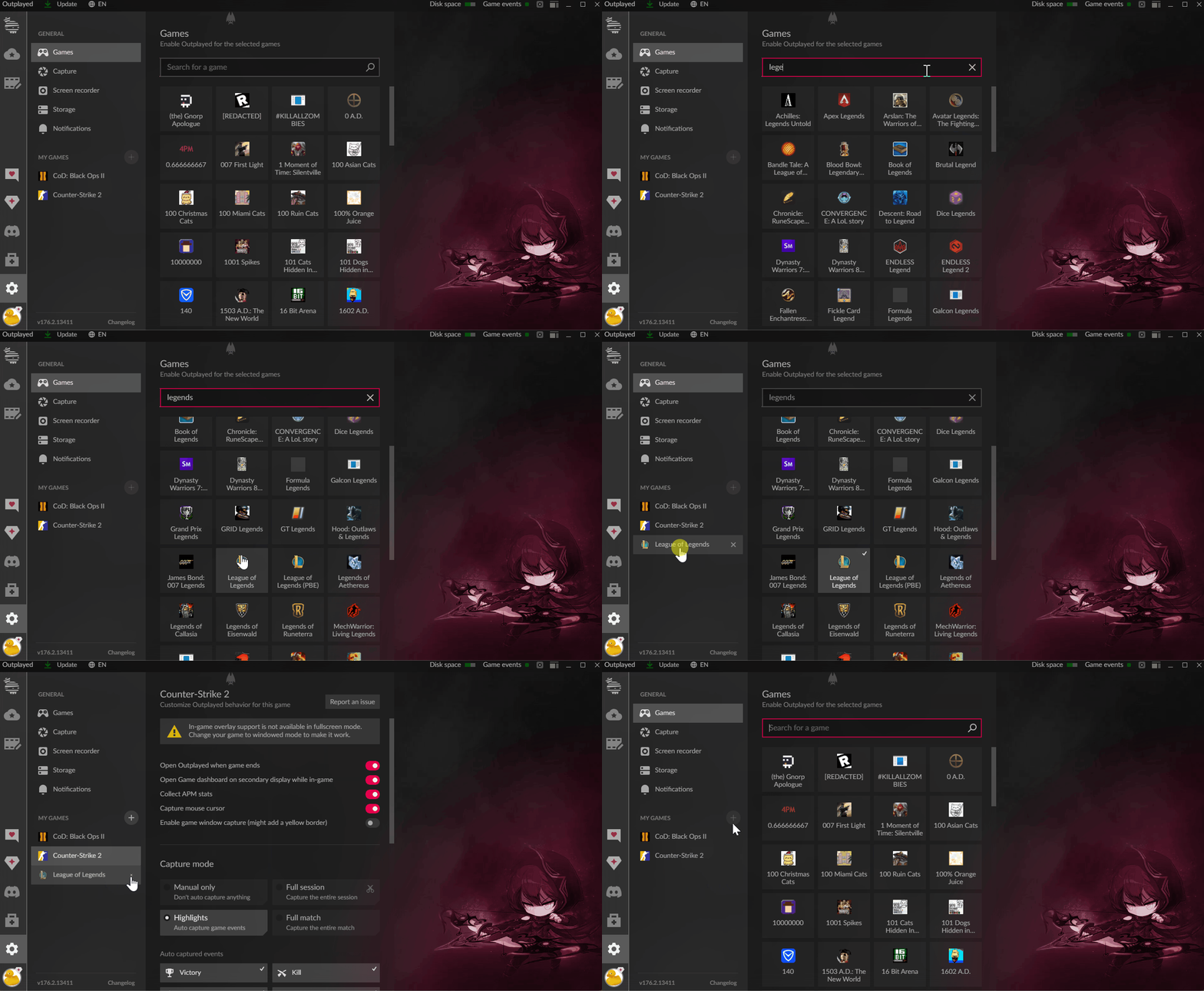
How to Enable your Game
Modified on: Fri, 27 Nov, 2026 at 1:37 PM

You'll receive an email with your ticket details, and our support will contact you within 48-72 hours.
Modified on: Fri, 27 Nov, 2026 at 1:37 PM
open the Outplayed settings and press on the Games tab, once you have added your game you can press on your game to set a Capture mode:
How can we help